Welcome to the installation guide of our internal Cybertect product.
It is important that you install this product as it protects you and covers you for the following aspects of our service. You may have or not have taken all of this services.
Remote Monitoring and Management (RMM) - The IT Support Tool
Endpoint backups
EDR AntiVirus
XDR AntiVirus
MDR AntiVirus
Disaster Recovery
Data Loss Prevention (DLP)
Security Awareness Training
You can download the latest version of our RMM Agent here.
On double clicking the .exe or .dmg file, you will see the Cybertect wording and the following head on the installation window.

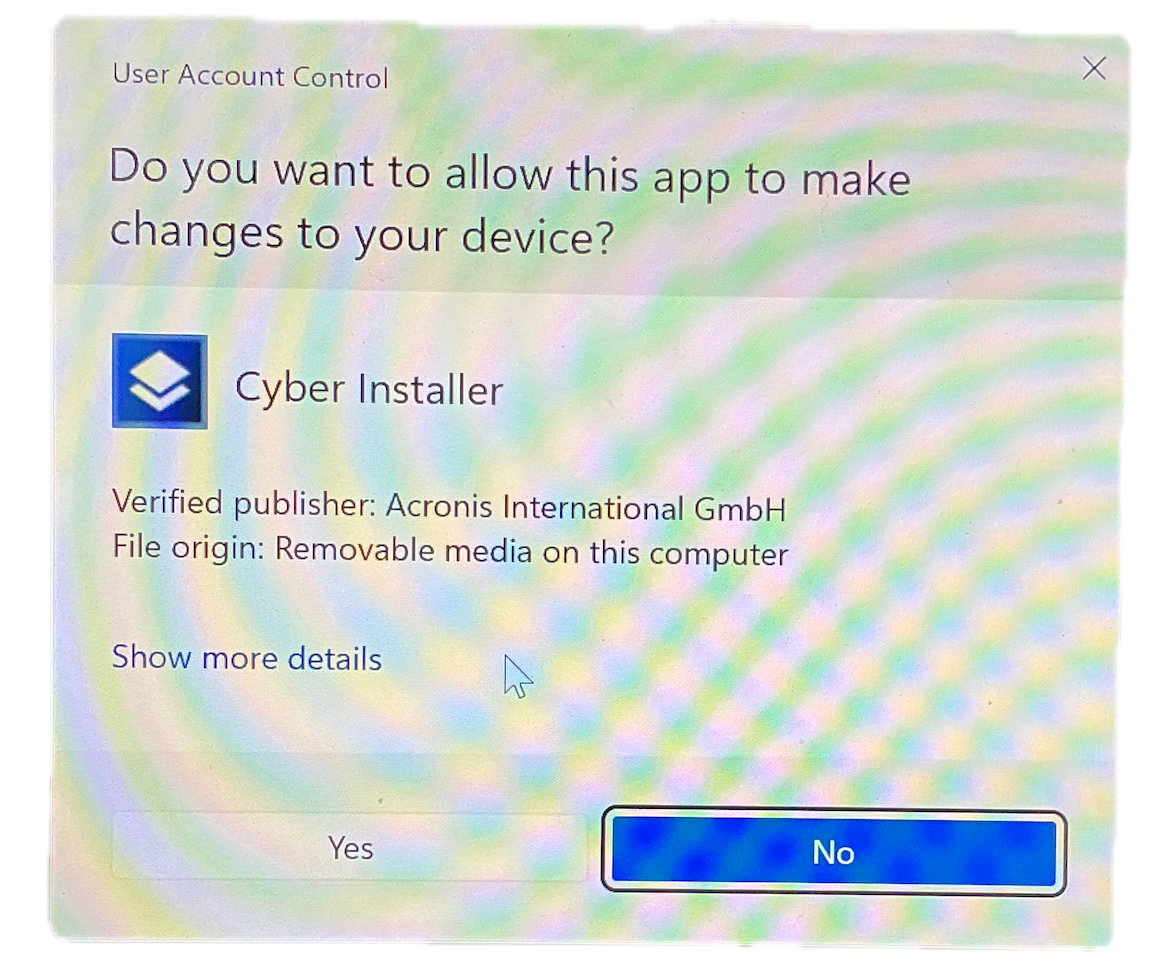
You will see a UAC Warning asking if you wish this application to make changes to your device, Please click YES.
Once you have approved the User Account Control with a hasty YES, you will then see the installer for Cybertect.
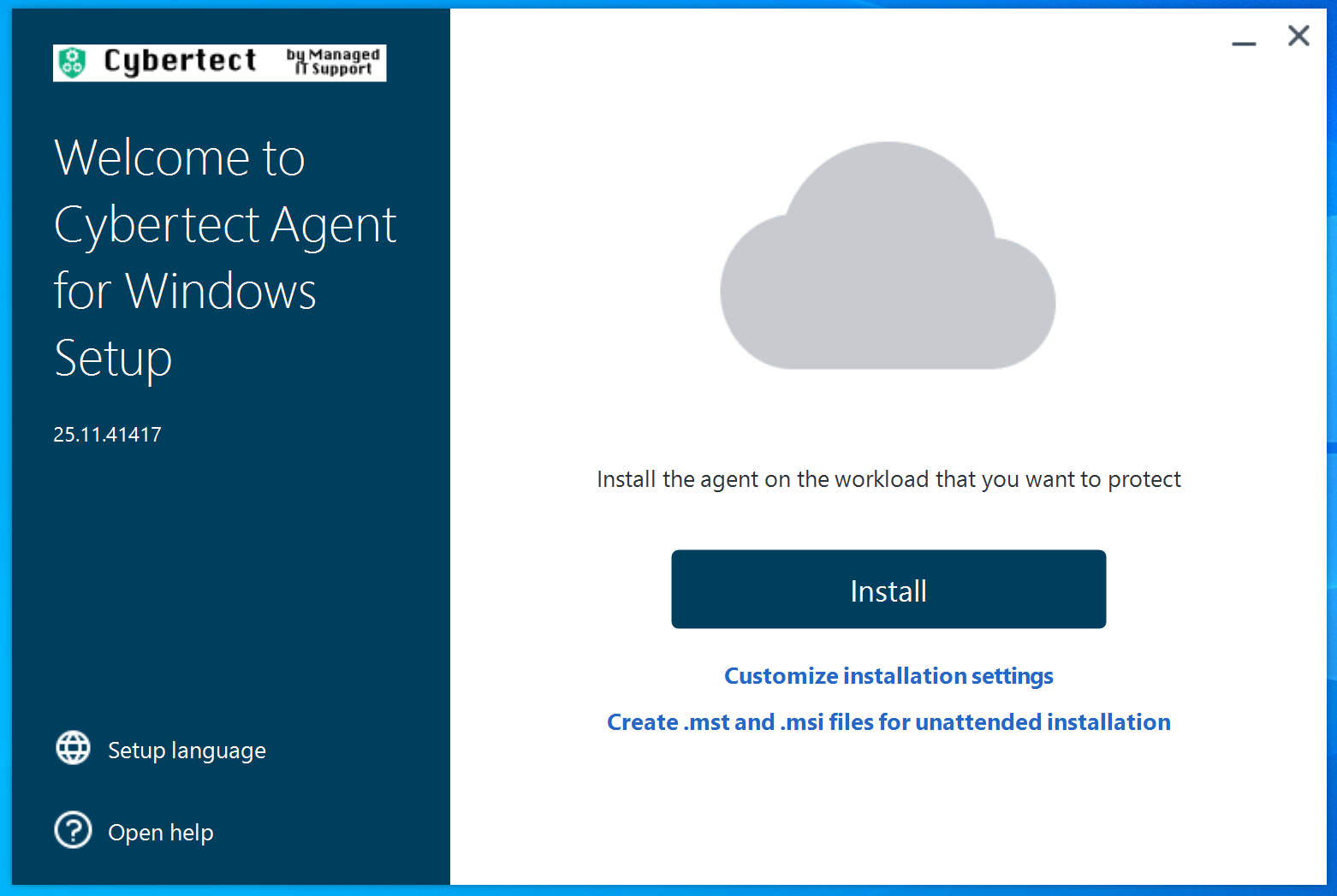
Here please click on install
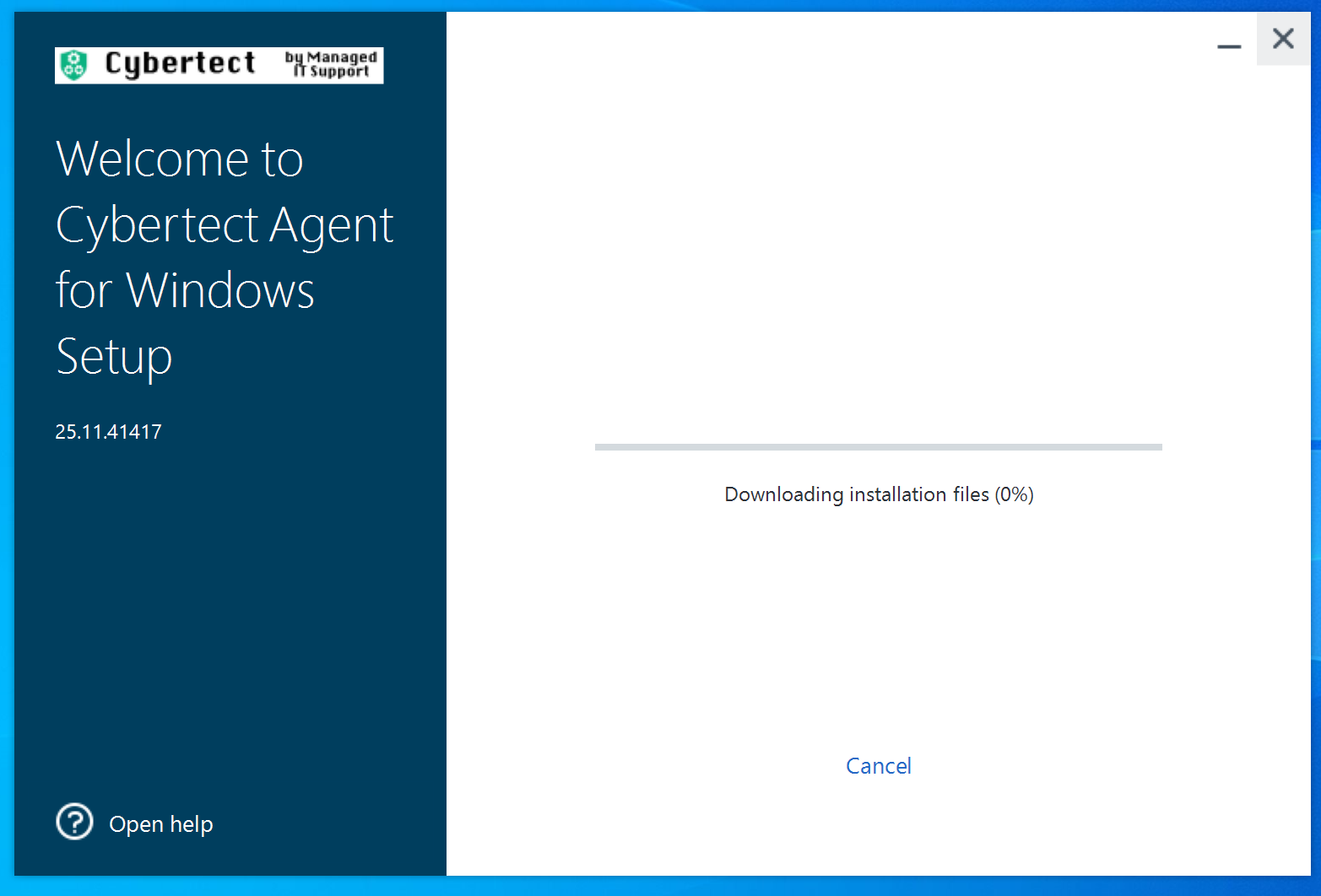
The agent will start installing
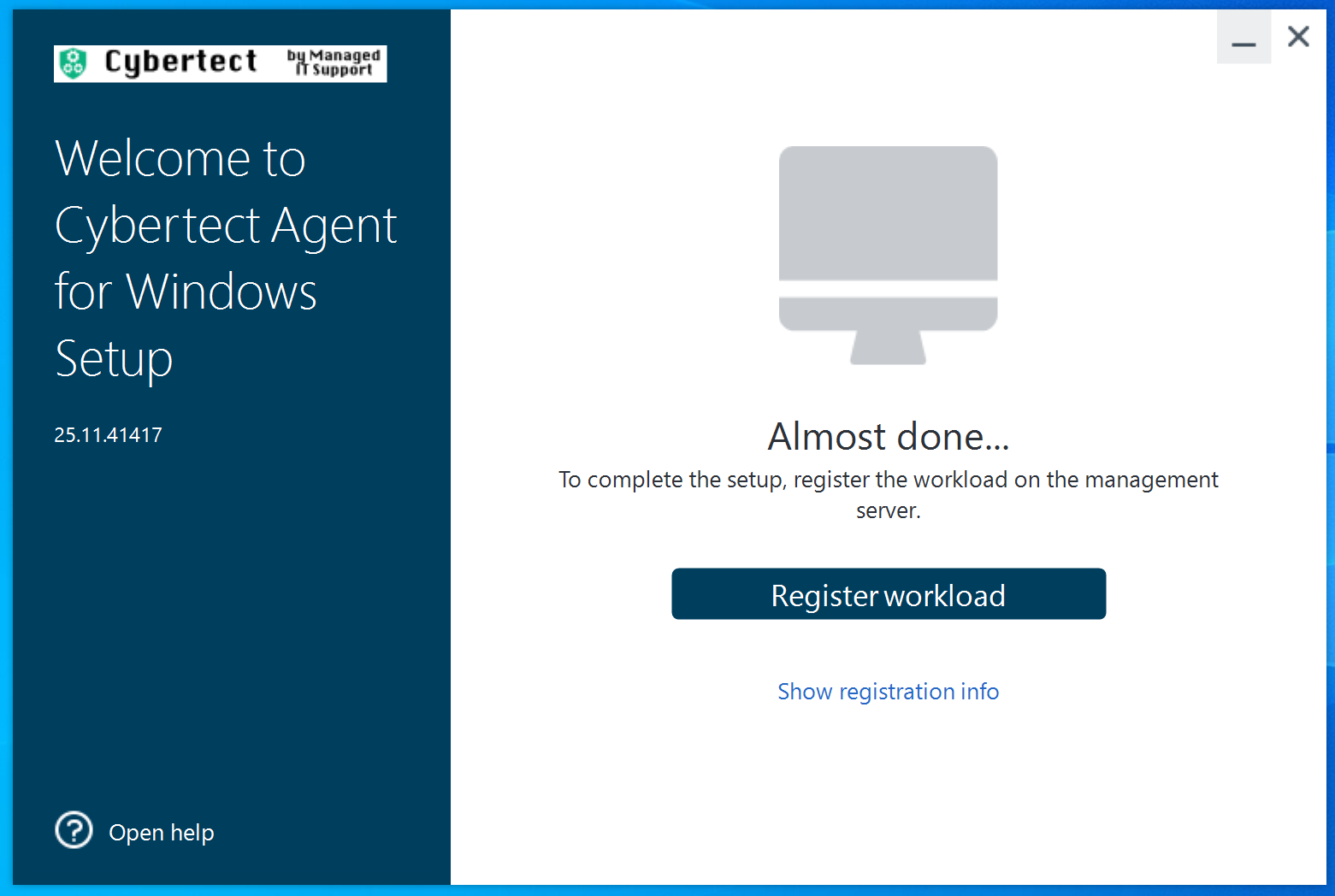
At the end of the installation process you will see this screen. PLEASE CLICK SHOW REGISTRATION INFO (not the button)
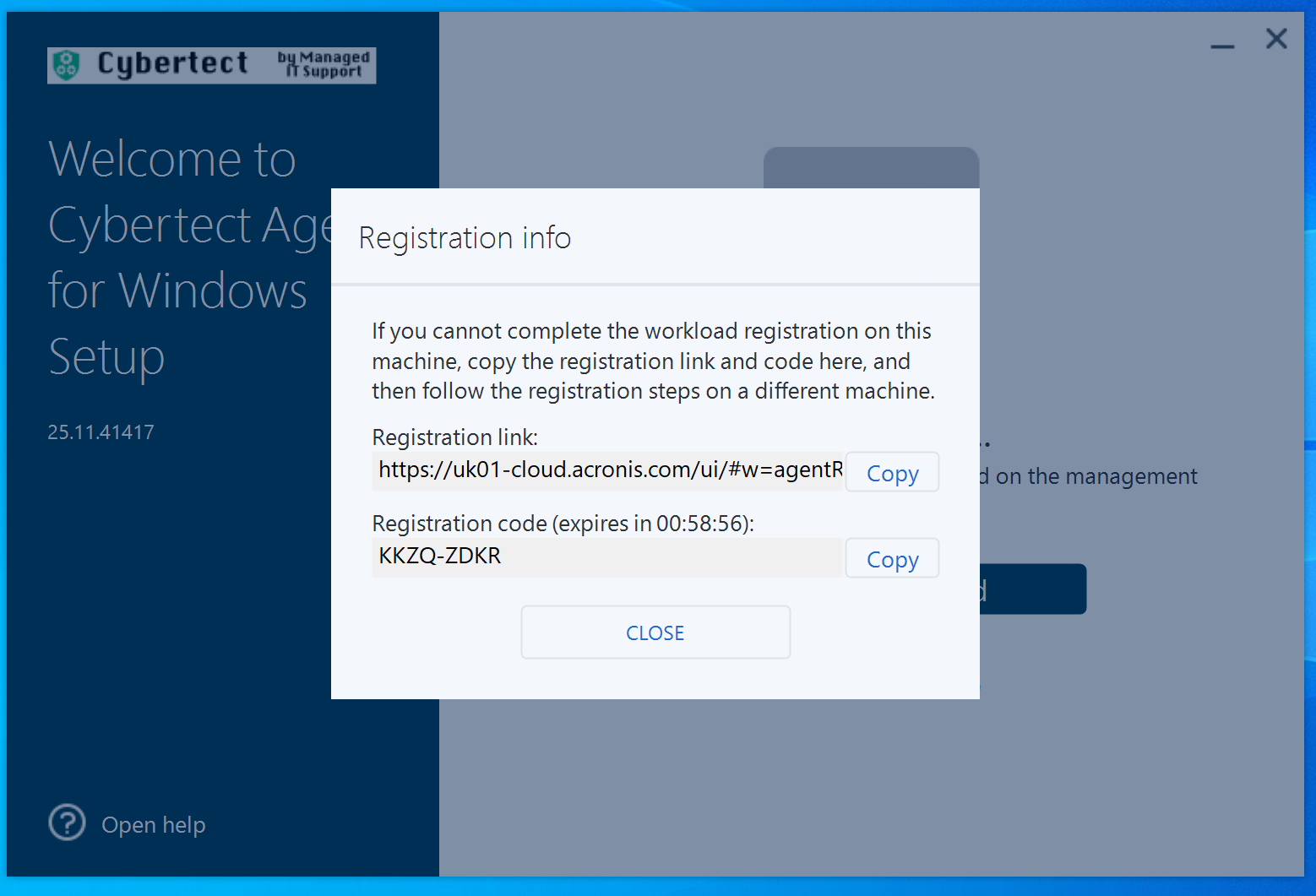
You will see a screen very similar to this, please send your Registration Code to our WhatsApp Channel. You may need to advise who you are and which company you work for if you are not already speaking to our support team. As you can see, there is an hour window for this to be actioned!
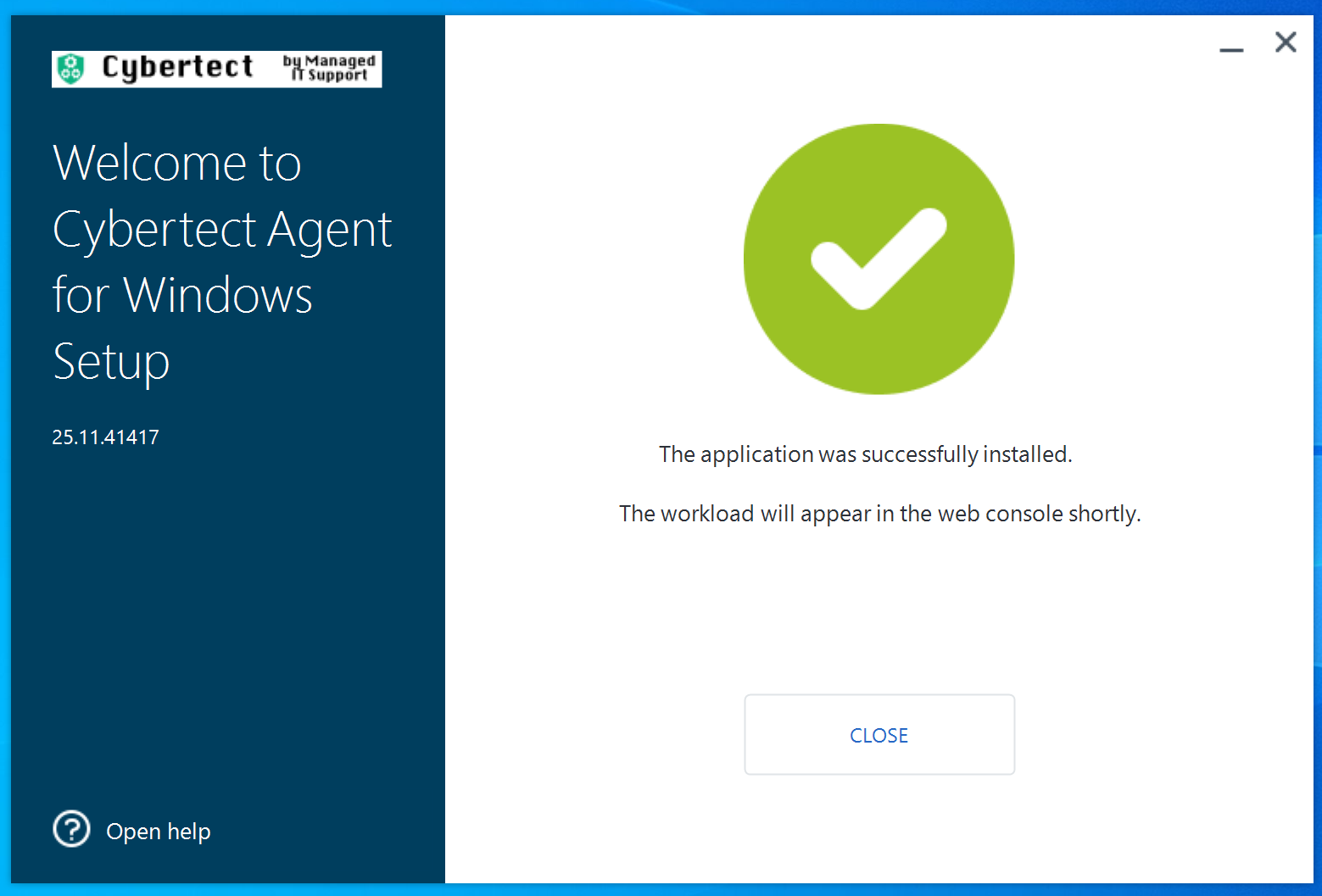
As soon as we have actioned your code, your window should look like this.
Any problems, please reach out to our helpdesk.
Was this article helpful?
That’s Great!
Thank you for your feedback
Sorry! We couldn't be helpful
Thank you for your feedback
Feedback sent
We appreciate your effort and will try to fix the article